


Surveillance Camera: Visory
4.32.55K Reviews
App Specs
- Version
- 1.44.5
- Updated On
- License
- Free
- Downloads
- 10,000,000+
- Developer
- Saby Baby monitor Ltd
- Categories
- House & Home
- Platform
- Android
Screenshots
 Analysis by AppCompare
I like the idea behind Surveillance Camera: Visory: instead of treating a spare phone as a drawer-bound gadget, you can use it as part of a home-monitoring setup. That can be useful when you want a quick view of a room without buying a dedicated camera first. My main advice is to think of it as a practical way to repurpose devices, not as a guaranteed replacement for every purpose-built security system.
Start with the setup you actually have
Before relying on any phone-based camera arrangement, decide which device will stay at home and which one you’ll carry. A phone used as the camera needs to remain in a useful position, with a clear view of the area you care about. I’d test the arrangement while you’re still at home: check that the image covers the doorway, pet bed, or other target, then leave the room and see whether the view remains useful from the second device.
This small rehearsal matters more than it sounds. A camera pointed at a bright window may show less of the room, while a phone tucked behind furniture can miss activity altogether. I’d also choose a stable surface and a position where the device is unlikely to be knocked over. A camera view is only helpful if it shows the place you meant to monitor.
Good for casual checks, not every security need
For a quick check on a pet or a room, using a phone you already own can be an appealing alternative to purchasing a separate camera. It also gives a household a way to experiment with remote viewing before deciding whether a more permanent setup is worth it. That flexibility is the clearest reason I’d try this kind of app.
The trade-off is that a phone is still a phone being asked to serve as a stationary camera. You need to think about where it sits and whether it can stay there for the times you want monitoring. If you need a fixed camera that is always installed in a particular spot, a dedicated home camera may be the simpler choice. If you need dependable coverage of several areas, compare the amount of setup and device juggling with a purpose-built system before committing.
What You Get from the App
Visory is a free House & Home app from Saby Baby monitor Ltd. It has an average rating of 4.4 from around 439,000 ratings, and it has been installed over 10 million times. That scale suggests many people are interested in using phones for home monitoring, though it doesn’t guarantee that every household’s devices, network, or expectations will match the experience.
Setting Up Made Simple
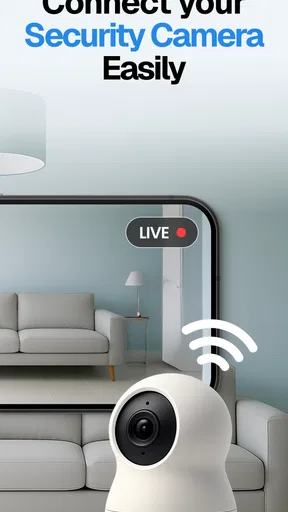
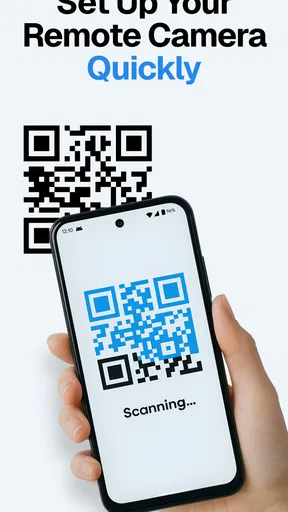
First off, getting started with Visory is a breeze. I downloaded the app, and within minutes, it was up and running. If you’re anything like me and get a bit tech-averse, you’ll appreciate the straightforward setup process. You just connect it to your existing cameras or use your phone as a camera, and voilà, you’re all set.
Worth Reading Before You Choose

Flipboard Shows What News Apps Must Do Beyond the Feed

Switching to Android Auto Means Rethinking Your Driving Routine

Google Calendar Makes a Crowded Week Easier to Manage

Ludo King Makes the Most of the Minutes Between Plans

Baby Panda World Brings Quick Play to Modern Phones, but Its Game Library Feels Busy

ESPN’s Live Game View Makes Following Close Games Easier
Features That Stand Out
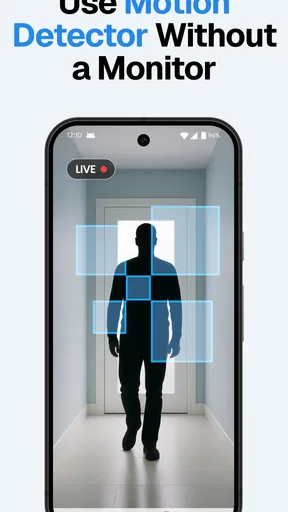
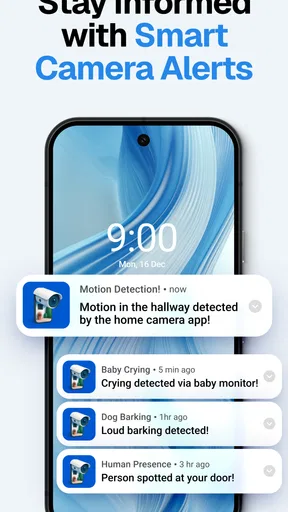
So, what makes Visory stand out in the crowded world of surveillance apps? For starters, the live streaming feature is top-notch. I was impressed by the high-quality video feed, even in low-light conditions. The app also offers motion detection alerts, which is a lifesaver. I got immediate notifications every time there was movement in my living room, which made my paranoia feel a little more justified.
For a more useful alert routine, I’d think carefully about where the camera points and when I actually want notifications. A view that includes a busy hallway may produce more interruptions than a tighter view of the area that matters. If I were checking on a pet, I’d aim for the spot where it rests rather than the whole room, then see whether the alerts are relevant during an ordinary day. That is a simple way to make motion notifications feel less noisy and more actionable.
Another cool feature is the two-way audio. I found it pretty handy to talk to my dog while at work. And yes, it seems he enjoys our little chats too! But joking aside, this feature could be really useful if you need to communicate with someone at home while you're away.
I’d treat two-way audio as a quick way to say something, not as a substitute for a proper conversation. It may be convenient for calling a pet away from a doorway or letting someone know you’ll be home soon, but it depends on the camera phone being placed where its microphone and speaker can serve the room. A quick test from the spot where you’ll normally listen can help you judge whether voices are clear enough for your needs.
User Experience
The interface is clean and intuitive. You don’t need to be a tech genius to navigate through the app. Everything is laid out clearly, from the settings to the camera controls. I particularly liked the timeline feature, which allows you to scroll through past footage with ease. It’s these little touches that make a big difference.
A timeline is most useful when you already have a question in mind: did the pet settle down, or when did someone enter the room? I’d use it to review a short, relevant period rather than treating it as a reason to watch footage constantly. That makes checking in feel purposeful and helps keep the app in the role of a practical household tool instead of another stream demanding attention.
One point worth considering is the difference between a live check and reviewing earlier footage. Live viewing is for seeing what is happening now; a timeline helps you look back. If your main need is simply to check whether everything seems fine at a glance, a live camera view may be enough. If you expect to investigate a particular moment later, try the timeline while you’re still setting up so you know how it fits your routine.
Peace of Mind
In terms of security, Visory uses encryption to keep your data safe, which is a huge relief. Knowing that my video streams aren’t accessible to unwanted eyes gives me peace of mind. It’s like having a digital lock on your front door.
Even with encryption, I’d still be deliberate about where I place a camera and who in the household knows it is there. A living room or entry area may suit casual monitoring, while private spaces call for more care and clear agreement among the people who live there. Home monitoring works best when it supports comfort rather than creating surprise or tension.
It is also sensible to think through the routine before leaving a phone in camera duty. Keep the view limited to the area you mean to check, and make sure the device is positioned securely. If you’re using a phone that you also need during the day, it may be inconvenient to leave it behind; a spare device makes the idea more practical. That everyday limitation is easy to overlook when the setup itself feels quick.
One thing that caught my attention is the app's compatibility. It works with a variety of camera brands, so you’re not tied to one specific type. Plus, it’s available on both Android and iOS, so you can monitor things from any device you have handy.
That flexibility can be valuable if a household already owns compatible cameras or has a spare phone, but I wouldn’t assume every camera in a home will fit the same workflow. I’d start with the device you most want to use, confirm that the view and controls suit your needs, and only then build a larger routine around it. If a particular camera or phone is central to your plan, trying that exact combination first is more useful than relying on a general expectation of compatibility.
What the free access means in practice
The app is free to download, which makes it easy to try without paying upfront. In-app purchases are listed from $2.99 to $99.99 per item, so paid options are part of the picture; I’d check what an offered purchase includes before spending. The free starting point is useful for testing whether phone-based monitoring fits your home, but I would not assume that every feature or long-term use case is included at no cost.
Its age rating is Everyone, and the current version is 1.26.2, with Android 8.0 as the minimum operating system. The app was released on January 7, 2022, and has around 2,200 written reviews. Those details help set expectations about basic availability, but the best test is still whether your own devices can deliver a stable, useful view in the places you care about.
Everyday value and the alternatives
A realistic use case is checking on a dog during a lunch break. I’d leave a spare phone aimed at the dog’s usual resting spot, open the view from the device I carry, and use a motion alert as a prompt to check rather than as proof that something is wrong. If the alert comes while I’m in the middle of work, I can decide whether to open the live feed or review the relevant point on the timeline. That is a calmer workflow than repeatedly opening a camera app without a reason.
Compared with a dedicated indoor camera, Visory’s appeal is flexibility: a spare phone can give an existing device a new job, and the app can work with a variety of camera brands. A dedicated camera may be preferable when you want a fixed installation and do not want to leave a phone in place. Compared with simply checking in by phone call or asking a neighbor, a camera offers a visual look at the room, but it also asks you to manage device placement and to be thoughtful about privacy. The best choice depends on whether remote visual access is worth that extra setup for you.
For households sharing a space, I’d agree on the camera’s purpose and placement before using it. A narrow, clearly explained view of a common area is easier to live with than a device that appears without discussion. This is not just a courtesy: people are more likely to trust a monitoring routine when they know what it is for and when it will be used.
Where I would draw the line
I would skip Visory if I needed a dedicated security installation with a fixed, purpose-built camera in every location, or if I had no spare phone and did not want to leave my everyday device behind. I would also avoid relying on any phone-based arrangement until I had tested its framing and usefulness from outside the room. A quick setup does not automatically mean a dependable fit for every home.
If my priority were a permanent camera in one place, I’d compare dedicated home-camera options instead. If my priority were only to ask someone at home how things are going, a call or message would be simpler and would not require a camera view. Visory makes the most sense when seeing the room remotely is genuinely useful and the household is comfortable with that arrangement.
The Final Verdict
All in all, Surveillance Camera: Visory is a solid choice if you're looking for a reliable and user-friendly surveillance app. Whether you’re keeping tabs on your pets, kids, or just want an extra pair of eyes on your property, this app has got you covered. I found it to be a great blend of functionality and ease of use. So, if you’re in the market for a surveillance solution, give Visory a whirl. You might just wonder how you ever got by without it!
My practical recommendation is to start small: test one camera position, try a live check and an alert, and see whether the arrangement actually answers a question you have. The free download makes that first trial accessible, while the in-app purchases mean it is worth pausing to understand any paid option before deciding it adds value for you. If the setup suits your devices and feels comfortable for everyone at home, Visory can be a handy way to keep an eye on a room; if you need a permanent, dedicated system, choose the tool built for that job.
Pros
- User-friendly interface for easy navigation.
- High-quality video streaming and recording.
- Real-time alerts for instant notifications.
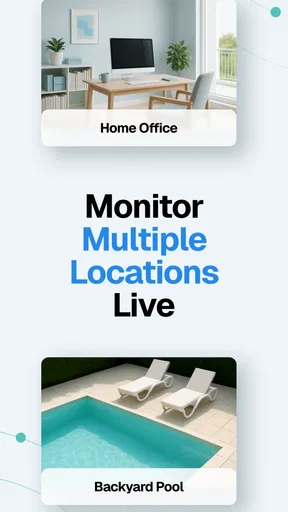
- Supports multiple camera connections.
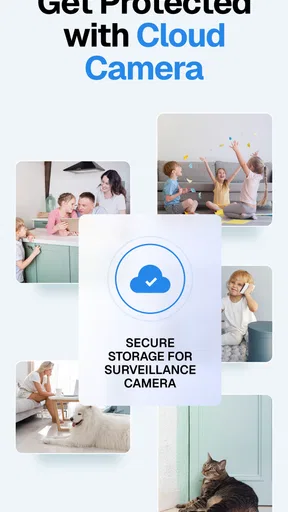
- Secure cloud storage for video backups.
Cons
- Requires a stable internet connection.
- Some features locked behind a paywall.
- Consumes significant battery power.
- Limited compatibility with older devices.
- Initial setup can be time-consuming.
FAQs for Surveillance Camera: Visory
What features does the Surveillance Camera: Visory app offer?
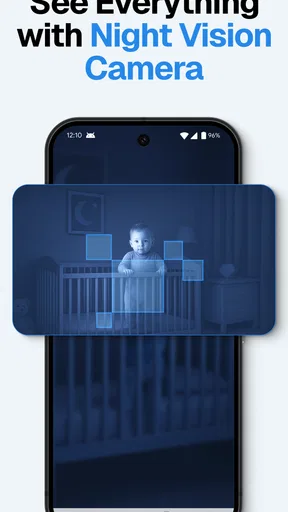
The Surveillance Camera: Visory app provides a range of features including real-time video streaming, motion detection alerts, cloud storage for recordings, and night vision capabilities. Users can remotely access their cameras from anywhere, offering peace of mind and enhanced security. Additionally, the app supports multiple camera setups for comprehensive surveillance coverage.
Is the Surveillance Camera: Visory app compatible with all camera brands?
Surveillance Camera: Visory is compatible with a wide range of popular camera brands. However, users should verify compatibility with their specific camera models by checking the app's compatibility list provided by the developer. This ensures all features and functionalities can be utilized effectively without any technical issues.
How secure is the data stored in the Surveillance Camera: Visory app?
The app employs end-to-end encryption to protect video streams and stored data, ensuring user privacy and security. Cloud storage options are available, which are also encrypted to prevent unauthorized access. Regular updates enhance security protocols, making it a reliable choice for safeguarding personal and property security.
Does the app require a subscription for full functionality?
While the basic features of Surveillance Camera: Visory might be available for free, accessing advanced functionalities such as extended cloud storage, enhanced motion detection, and priority customer support typically requires a subscription. Users can choose from various pricing plans to best suit their surveillance needs and budget.
Can I share access to my cameras with family members or colleagues?
Yes, the app allows users to share access with trusted individuals. You can easily set permissions and share access links through the app interface, enabling family members or colleagues to monitor camera feeds. This feature is particularly useful for collaborative environments or family surveillance management.


